
IIS7需要先确认是否安装 “URL 重写” 或者 “URL Rewrite” 模块 , 如果您已经安装可以跳过
“URL重写” 模块下载地址
微软下载地址(64位):http://www.microsoft.com/zh-cn/download/details.aspx?id=7435
微软下载地址(32位):http://www.microsoft.com/zh-cn/download/details.aspx?id=5747
如果安装的是英文版的应该是【Url Rewrite】
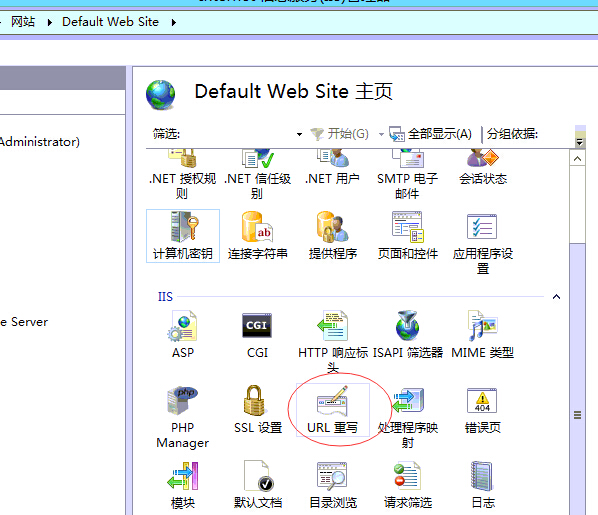
在网站根目录新建一个 web.config 文件,复制粘贴以下内容
<?xml version="1.0" encoding="UTF-8"?>
<configuration>
<system.webServer>
<rewrite>
<rules>
<rule name="HTTP to HTTPS redirect" stopProcessing="true">
<match url="(.*)" />
<conditions>
<add input="{HTTPS}" pattern="off" ignoreCase="true" />
</conditions>
<action type="Redirect" redirectType="Permanent" url="https://{HTTP_HOST}/{R:1}" />
</rule>
</rules>
</rewrite>
</system.webServer>
</configuration>